Every screenshot, searchable text.
KopyFeed automatically OCRs every image you copy in your browser. Receipts, code screenshots, whiteboard photos, business cards — every word, number, and symbol becomes searchable text. No separate OCR tool. No manual upload.
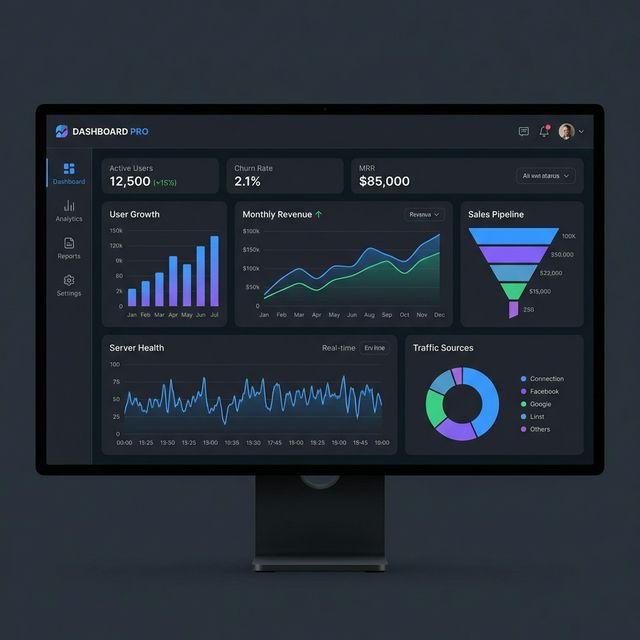
Active Users · 12,500
Churn Rate · 2.1%
MRR · $85,000
User Growth · Monthly Revenue · Sales Pipeline
Server Health · Real-time
How it works
Three steps. No new habits to learn. Every screenshot you take in your browser becomes searchable text automatically.
Capture an image
Press Alt+A for a full-viewport screenshot, Alt+S for region snip, or just copy any image with Ctrl+C. KopyFeed auto-saves it to your feed.
AI extracts the text
Google Gemini vision reads every word, number, and symbol visible in the image — up to 50,000 characters per image. No manual upload, no separate tool.
Search by content
The extracted text becomes part of your clip. Find a screenshot from weeks ago by typing a phrase that appears in it — receipts by total, code by function name.
What people actually OCR
Every screenshot you take has text in it. KopyFeed reads them all so you don't have to remember what each image was.
Receipts & Invoices
Screenshot a receipt today, find it by the total amount or vendor name months later.
Code Screenshots
Capture code from tutorials, Stack Overflow images, or paywalled docs. Search by function or library name.
Whiteboard Photos
Snap a meeting whiteboard, KopyFeed reads the marker scribbles. Find any session by what was discussed.
Business Cards
Photograph a business card, KopyFeed extracts the name, title, email, and phone number — searchable.
Foreign Language Images
Captures verbatim text in any of 100+ languages. Pair with KopyFeed summaries for context.
PDFs & Paywalled Content
Some PDFs disable copy. Screenshot the page — KopyFeed extracts the text into a searchable clip.
Charts & Dashboards
Capture analytics dashboards, financial charts, or product mockups. Axis labels, legends, and values become text.
Memes with Text
Keep your reaction-image stash organized. Find the right meme by the caption you remember.
Built for accuracy. Built for privacy.
Real OCR with a real model. Not a regex over alt-text. Not a half-baked extension feature.
AI vision model
Powered by Google Gemini 2.5 Flash — the same vision model that beats Tesseract on handwriting and matches Google Cloud Vision on print accuracy.
50,000 character transcript cap
Each image returns a verbatim transcript of every word, number, and symbol visible — up to 50,000 characters. Long documents get the full body, not a snippet.
Private by default
Images use the paid Gemini API tier — Google does not use your prompts or images to train their models. Sensitive content (API keys, credit cards, SSNs) is detected on-device before upload and never sent to AI.
2 credits per image
Cheap by design. Advanced ($6.99/mo) gets 1,500 credits/month — roughly 750 OCR'd images. Pro ($11.99/mo) gets 6,000 — about 3,000 images.
Frequently asked questions
Everything about KopyFeed's OCR.
Related features
More ways KopyFeed turns your clipboard into a searchable knowledge feed.
YouTube Clipboard
Save YouTube videos with full AI transcript analysis — search by what was actually said.
Link Saver
Every URL you copy is summarized, tagged, and organized by AI. Better than bookmarks.
Browser-Only Clipboard
KopyFeed only captures inside your browser. No system clipboard monitoring, ever.
Stop losing screenshots. Search them instead.
KopyFeed launches soon. Join the waitlist — be first to OCR your clipboard.